
Fix Your Forgetting Machine: Build Your Second Brain In 3 Easy Steps
Start your learning revolution

Information overload is a severe threat to burnout.
We are constantly drowning in news, chats, meetings, books, work tasks, personal goals, online content, etc. Trying to keep all of this in your head is overwhelming, stressful, and impossible.
It overloads cognitive load (the amount of information our brain can hold).
The good news is that we don’t have to remember all.
A second brain will.
How To Stop "Forgetting" With A Second Brain

In the last post, I told you your brain is a forgetting machine.
The Forgetting Machine
The first step is to accept we don’t remember well.
Think about it. If we could remember every memory like a photograph, our brains would collapse. It is computationally impossible. Our brains are forgetting machines that evolved to forget to function correctly.
This is why you need to change your strategy.
Instead of trying to remember everything, you can create a digital space, an extended version of your biological brain—a second brain. This system stores organizes and retrieves all your relevant knowledge whenever needed.
An extended brain frees up mental space and improves focus without burning out.
Building one may sound complicated, but it shouldn’t be hard.
Here are three dead simple steps to get started.
Step 1. Capture Information In One Place
The main function of a second brain is to help you retrieve information.
Consider this a digital inbox where you can store anything you don’t want to forget or need to reference later. Common examples also include calendars, timers, Siri reminders, and notebooks. In a second brain, you could include:
Ideas that pop into your head.
Tasks you need to do.
Notes from books, scientific articles, and online content.
You use them to remember and make your life easier.
By capturing information in a digital space, you avoid forgetting everything. You don’t need to remember. Just open your second brain and retrieve information. This is more effective.
So, the first step is deciding where to organize your knowledge.
Choose only one place.
There are many software programs for this, such as Obsidian or Notion. If you are starting with this, I suggest Notion. It is simple, beautiful, and effective. Obsidian offers full personalization, but it is more complicated to set up.
Once you have this, capture everything relevant for you.
Examples
Taking notes about a course, book, article, etc.
Any idea or thought that comes to mind (like an idea to write a Medium article).
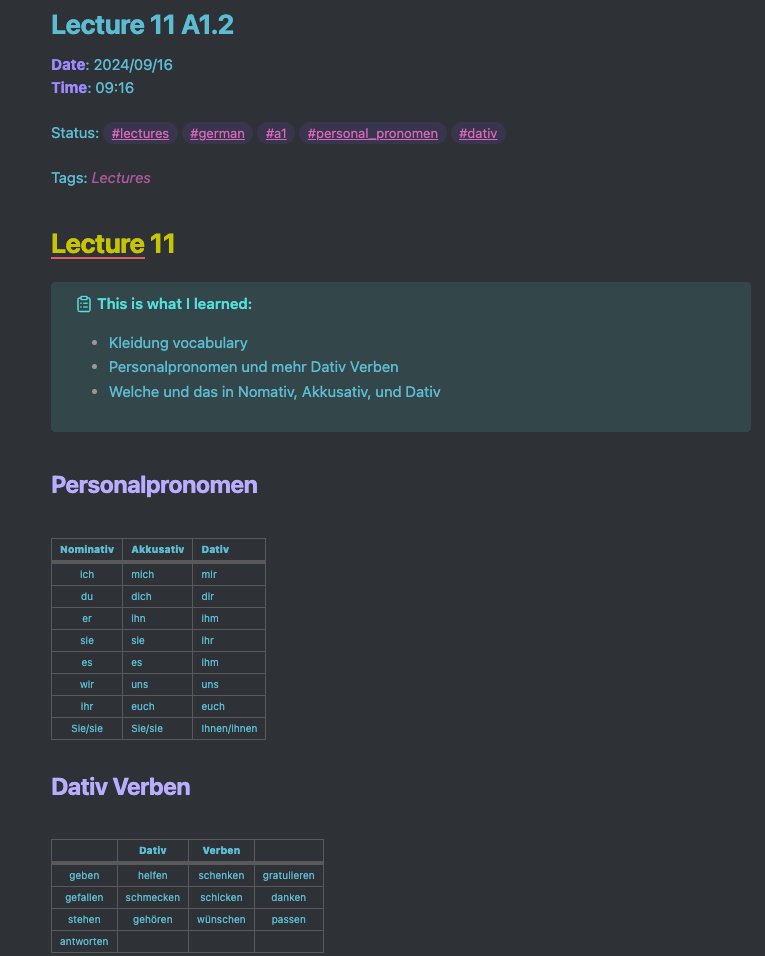
This is a typical note I take in my German lectures:
If you already use a second brain, let me know which software program you use :)
Step 2. Organize Your Folders With The PARA Method
The next step is to organize the information so it is easy to find later.
Remember, your goal is to make your life easier. Don’t make it more complicated. This is where the PARA method comes in. It is a strategy popularized by Tiago Forte to organize your work and knowledge in 4 folders:
Projects: top responsibility and finite work (clear deadline or outcome).
Responsibility: work you must do frequently (don’t have deadlines but are important to track of).
Resources: information that may be useful in the future. Information you’re not actively working on but still want to keep.
Archive: projects you finished or information that is no longer relevant but you may want to review later.
This is how my PARA looks:
├── PROJECT
   ├── RESEARCH
   ├── BOOKS
   ├── EBOOKS
   └── COMMUNICATION
|
├── RESPONSIBILITY
   ├── PAPERS
   ├── LEARNING
   ├── STUDENTS
   ├── UNIVERSITY
   └── MEDIUM
|
├── RESOURCE
   ├── CURIOSITY <- papers/readings notes I found interesting
   ├── WRITING <- tips to write better
   └── AI/TECH RESOURCES <- tools for students
|
├── ARCHIEVE
   ├── UBA <- the notes of my Psychology degree
   ├── RESEARCH DONE
   └── ARTICLES PUBLISHED
This method has many positive outcomes:
All your information is condensed into 4 folders instead of multiple ones.
As you look and work for priority, it is way easier to find documents.
It is way easier to choose a folder where you will work.
It helps you integrate your workflow.
Plus, it reduces cognitive load.
Step 3. Review And Maintain Your Second Brain
If you don’t use it regularly, then a second brain will not be useful.
Many people quit using them because of this. You must review it frequently to ensure it is relevant and up-to-date. If you capture information but never come back to it, it will become, once again, overwhelming and disorganized—worse yet, forgotten.
Reviewing also helps to find new ways to use the knowledge you already have in your second brain.
Find a strategy to use it frequently and trust it:
Make a weekly checklist: take 30 minutes to review your projects and responsibilities.
Make a daily checklist: each morning, choose the responsibilities and projects you will work on.
Organize and review your ideas: take time to check your ideas.
Over time, it will become your default tool to work and stay focused.
How I use my second brain
I take notes about my courses/books/articles, etc.
I write ideas for new articles and research.
I work on scientific articles.
I create, organize, and maintain databases.
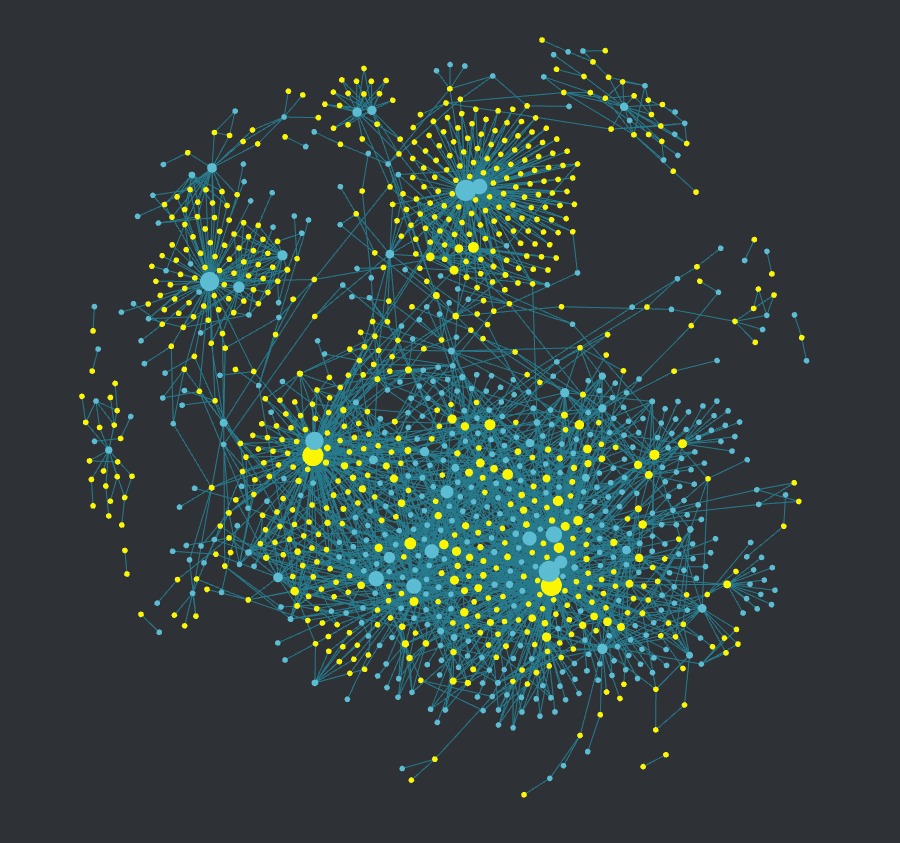
This made me create a beautiful Universe of notes in Obsidian:
Summary
Our brains are forgetting machines.
We need to accept we are bad at remembering information.
The primary function of a second brain is to help you retrieve information.
Capture ideas and information in a single place (i.e., Notion or Obsidian).
Organize your folders using the PARA method.
Review your second brain.
Ultra-learning saved my career.
It helped me learn anything without overstudying or overworking. But remember, each person has a different life. Perhaps you work full-time and also study. Or maybe you have a family, etc.
Be reasonable and don’t fall into toxic productivity.
Here are some last recommendations:
Don’t compare yourself with others. Take your time.
This is not a competition. This is about you. Make it fun and healthy.
Please take care of yourself. That’s the most important thing!
Now it is your turn.
What are you going to learn next?
Some Questions For You
Why do you want to use a second brain?
Which software would you use to build your second brain?
What kind of information do you want to store there?
Until the next time,
Axel

I made a few attempts to use a second brain and bounced off from Obsidian each time.
Obsidian itself is not overly complicated; I used note templates, advanced formatting, canvas, and more.
I think my problem is the amount of time it takes to maintain it and the desire to make it look good and be useful. Having everything organized and searchable with hyperlinks at the top is very tempting. However, as you said, you need to constantly review your data, and navigating through it feels like a burden. For now, I end up with a physical commonplace book. It feels great to browse handwritten notes, and I can't edit it, so it looks authentic, but it lacks efficiency—there is no search function and no linking of ideas.
nice article. Interesting idea calling digital storage a "second brain". With the ever expanding stimuli we now have in this world we definitively need a second brain :D